After making several unsuccessful attempts at a quick and easy CNC Router, I decided to take a look at the Rockcliff CNC plans I has purchased several months earlier. The Model A still looked like more than I wanted to take on for a first attempt, but I noticed that there was another set of plans for a ‘D’ model. After looking it over, I was happy with the fact that the model ‘D’ was a very flexible build, and would lend itself to being built as several assemblies that could be build and tested separately before being combined into the finished machine.
Since I has already purchased some materials for the previous attempts, I decided to salvage what I could to keep costs down. I ended up scaling the machine down to allow for the salvage, but the final machine still ended up with a 13.5 x 26.5 inch cutting area, which was only slight smaller than the 16 x 24 inches I was originally planning. The cutting speed is a respectable 24 ipm (inches per minute), so far I have only cut mdf, but I think the machine should be able to handle most wood/plastic products and might be able to cut aluminum, although I have no plans on trying.
Unfortunately, I did not take pictures during the build, so you will have to settle for the pictures of the completed machine.

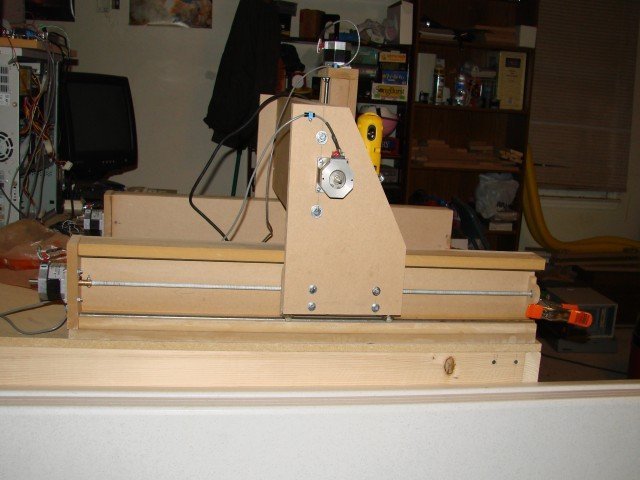
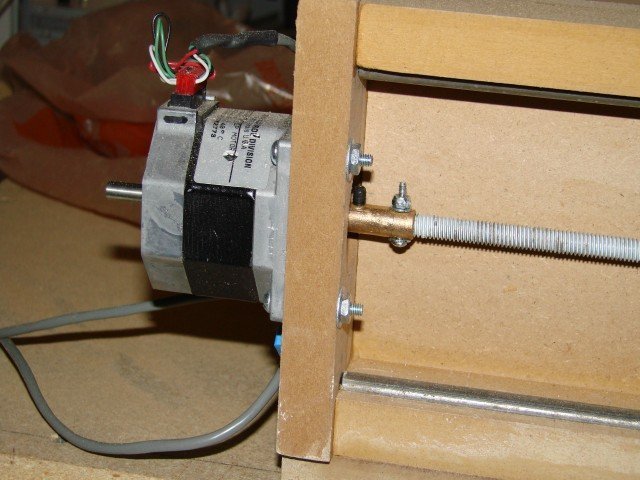
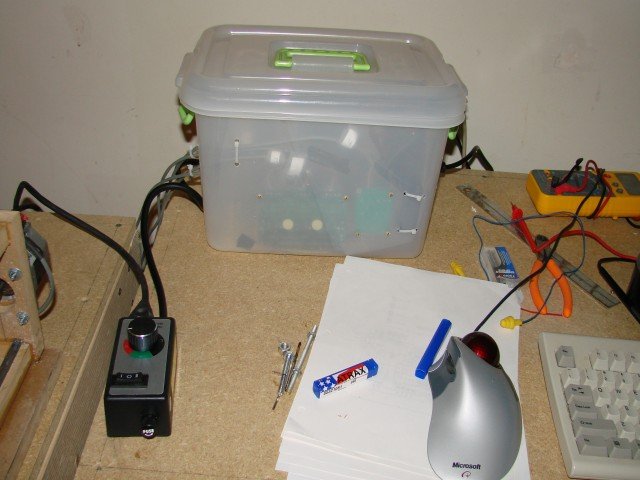
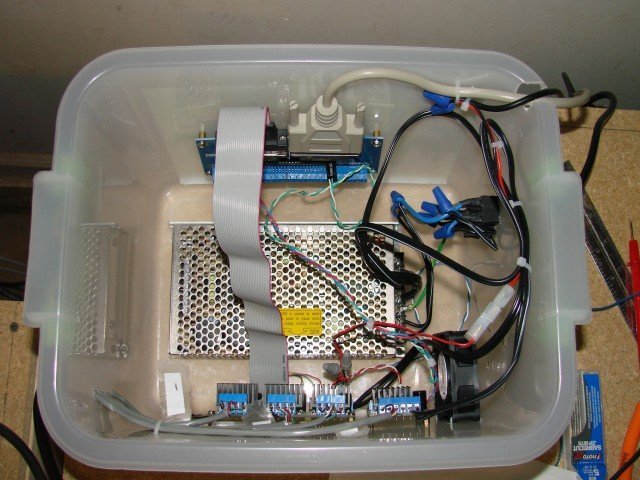
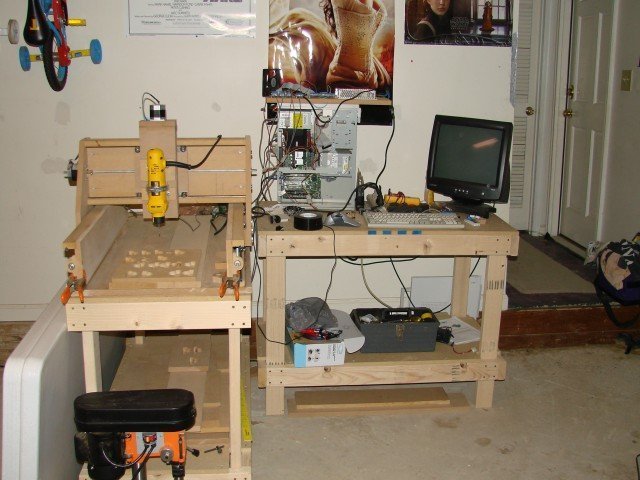
Here is one of the first cuts I made:
This is my first attempt of something more complicated:
For anyone who is interested, this is a preliminary list of what it has cost me so far (in case you are thinking about building a machine), I tried to keep things as cheap as possible. All amount are US dollars.
Rockcliff plans: $20 – ebay
2×4 3/4 MDF (2): $20 – Lowes
2×4 1/2 MDF: – $8 Lowes
4 Motors & 3 axis Xylotex Controller: $139 – Ebay shipped
Extra Controller (Probotix Side step Driver & Heat Sink): $31 shipped
DB25 Breakout board: $21 – ebay shipped
Power Supply (24v 4a 145w Regulated Switching): $34 Ebay shipped from China (3 weeks)
Wiring 30 ft 22ga 4wire: $10 – Home Depot
Limit Switches : $8 Ebay shipped (not installed yet)
DB25 Cable: $6 – Frys
Couplings (8) (1/4″ ID 1″ long brass sleeve bearings) : $18 – Lowes & Ace Hardware
Misc Nuts, Bolts & Screws: $25
Lead Screws (5/16 – 18tpi): $16 – Lowes
100 pack roller blade bearings: $30 EBay shipped
Aluminum Angle (2): $10 – Lowes
Nylon Wing Nuts (4): $3 – Lowes
Blue Locktite: $4 – Ace Hardware
Router Dewalt DW660: $44 Ebay Shipped
Rotozip Bits: $8 – Lowes
Steel Rod: $16 – Lowes
Wood Glue: $5 – Walmart
Clamps (3): $18 – Lowes
Drill Press: $35 – Big Lots
Table Saw: $150 – Lowes (Birthday gift cards – Yeah!)
PC (Gateway PIII 450): Free
Monitor 17″ CRT: Free
EMC2: Free
Vectric Cut2d: $150
CadStd: Free
Subtotals:
Machine Hardware and electronics: $493
Tools: $198
Software: $150
Total: $841
Very nice machine! I have just begun the model D over here in Manchester (UK). Hope I can get it as nice looking as yours!
Thanks for listing out the pricing of all the bits…helps me plan which bits to do first and which will take some more persuading of my chief financial controller (wife!)
Nik
Pingback: grumpygeek.com » Blog Archive » DIY ACME Lead Nuts
Pingback: grumpygeek.com » Blog Archive » DIY Couplings
You do fantastic work.
I have a couple of problems getting my machine up and working. It seems that you are good at all of this. I am good at building the machine, but setting up the controller to run the motors with the software has me baffled. I have a controller and three stepper motors all hooked up, but can’t find any software (free software) to even test the motors. Ever one that gets a machine up and running makes a video of it cutting out new parts, but they never show us how they did the setup or config of the software. I am a disabled Vet. and I have been trying to get this hobby up and running for years. I don’t type or spell good, but would like to talk with you on the phone if you would. I learn better hands on and talking.
Hey Bob thanks for the compliment 🙂 In the next 2 weeks or so I will be setting up the computer part of the new machine, I will make an effort to make a quick video of my set up process. As far as free software goes, the only free controller software I have used is EMC2. If you are willing to dual boot from windows, or have an old PC to dedicate the the task EMC2 works great, and is not really that hard to set up. If you can let me know what motor controller hardware you are using, I would be willing to do a little research and see if I could walk you thru the set up process.
Pingback: grumpygeek.com » Blog Archive » One step forward, one step back.
Pingback: grumpygeek.com » Blog Archive » Let it Begin… Let it Begin!!!
Pingback: Do you think this would work? - CNCzone.com-The Largest Machinist Community on the net!
very nice machine. Btw how hard it was to make the frame using regular circular saws and other tools?. Btw will you able to make one kit and sell with out motors and controllers and other electronics?.
I used a table saw to cut the pieces for the machine (Rockcliff Model D), you could use a circular saw and a straight edge as a guide. If you have access to a table saw, drill press, router table and the right size clamps the Rockcliff model D is an easy build. As for the kits, I assume you are talking about my machine and not the Rockcliff… I am still working on getting it to the point where I can sell kits, I am stalled on finishing the build of the last set of revisions, but I am starting back on it again so maybe I have something soon…